All your contacts in one place
Centralized company directory with interaction history per contact, custom tags, and direct linking to your CRM and calendar.
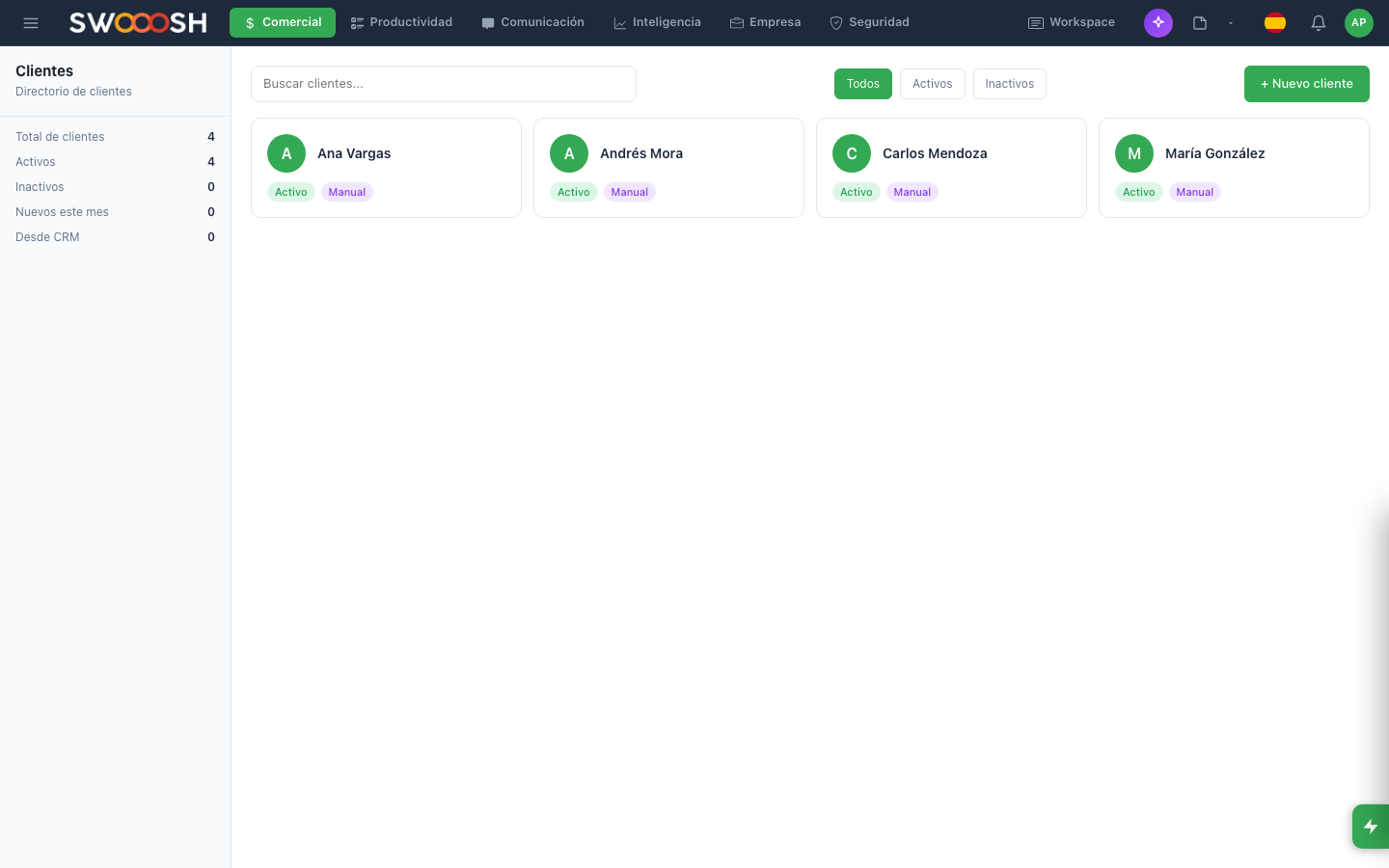
Centralized directory: all company contacts with complete history.
Contacts are scattered across people and devices
Each employee stores contacts on their personal phone, email, and WhatsApp. When someone leaves the company, the contacts leave with them. There is no unified directory or record of who spoke with whom and when.
Do your company's contacts depend on each employee's phone?
There is a better wayEverything you need to manage your contacts
Single directory for the entire company: fast search and always up-to-date data.
Centralized company directory
One place where all company contacts live. Clients, suppliers, partners, prospects: each contact has complete data, accessible to the entire team. When an employee leaves, the contacts stay.
- Single database for the entire company
- Complete and up-to-date contact data
- Fast search by name, company, or tag
- Access controlled by team permissions
Complete history: every interaction is automatically recorded.
Interaction history per contact
Each contact has a chronological record of all interactions: calls, emails, meetings, team notes. Anyone can pick up a conversation without asking "who spoke to this contact last?".
- Automatic interaction logging
- Chronological timeline per contact
- Team notes and comments
- Linking with calendar activities
Custom tags to segment and filter contacts instantly.
Tags and segmentation
Classify contacts with custom tags: by type (client, supplier, prospect), by region, by industry, or by any criteria you need. Filter and segment in seconds for campaigns, reports, or follow-ups.
- Unlimited customizable tags
- Combined filters by multiple criteria
- Segmentation for email campaigns
- Automatic grouping by company
Import from CSV and link each contact to the CRM and calendar.
Import and CRM linking
Import contacts from CSV files or sync from your current CRM. Each contact is automatically linked to the sales pipeline and calendar, creating a continuous flow from first contact to close.
- Bulk import from CSV
- Full contact export
- Automatic linking with CRM leads
- Sync with calendar and activities
Ready to centralize your company's contacts?
I want to see a demoTechnical details of contacts
Centralized directory
Interaction history
Custom tags
CSV import
Fast search
Duplicate detection
CRM linking
Calendar sync
Companies that centralize their contacts
Contact management adapts to any company that needs a centralized directory with history.
About contact management
It is a centralized directory where all your company contacts live: clients, suppliers, prospects, and partners. Each contact has complete data, interaction history, and tags, accessible to the entire authorized team.
Yes. Contacts belong to the company, not to individuals. Any authorized employee can view and update the directory. When someone leaves the company, the contacts and their history remain intact.
Yes. Each contact has a timeline with all interactions: calls, emails, meetings, notes, and activities. The history is automatically fed from the CRM, calendar, and team conversations.
Yes. You can bulk import contacts from CSV files. The system automatically maps fields and detects duplicates before importing. You can also export your complete directory at any time.
Yes. Each contact can be linked as a lead in the CRM or as a participant in calendar appointments. Interactions flow between modules: a scheduled meeting appears in the contact's history, and a CRM lead shows its complete contact data.
Centralize your company's contacts and never lose a business relationship.
Request a demo